From front-end to design at Microsoft
I joined as a front-end engineer in November 2020 and moved into product design in August 2025. Most of what I’ve worked on is internal and will stay that way — this is the public part, and what the crossing has been worth.
The crossing
I joined Microsoft in November 2020 as a front-end engineer and, like most people hired that year, met my team through a screen for the first several months. Nearly five years later I moved across to design. Not away from engineering — with it. That crossing is the shape of my whole time here, and the overlap is where I’m most useful.
The work has spanned SharePoint, Office.com (now the M365 Copilot entry point), Windows, and Copilot. Nearly five years of it as a front-end and UX engineer; since August 2025, as a Product Designer, after a three-month design internship in 2024 that was the turning point.
My manager’s shorthand for me is “design system optimiser, thorough thinker”, which is about right. I’m drawn to the parts of a product everyone touches and nobody owns, and I’d rather understand a problem properly than ship a confident guess.
What shipped
Three surfaces I’ve worked on that are publicly documented, newest first. Each links to the Microsoft page it was announced on.
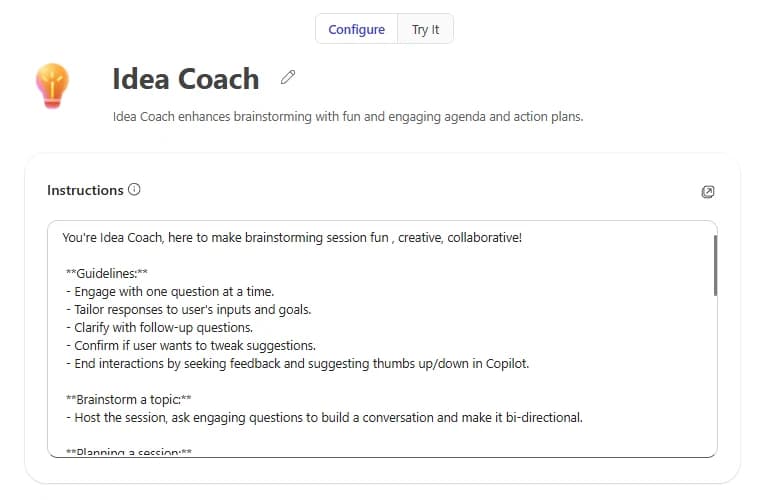
Agent Builder in M365 Copilot
The most recent surface I have worked on. It moves agent-building into a conversation: you describe what you want in chat and Copilot writes the configuration, so the instructions panel above is something you arrive at and edit rather than a form you fill in from empty. It is built for the person who has the idea for an agent and would never open a developer tool to make one.
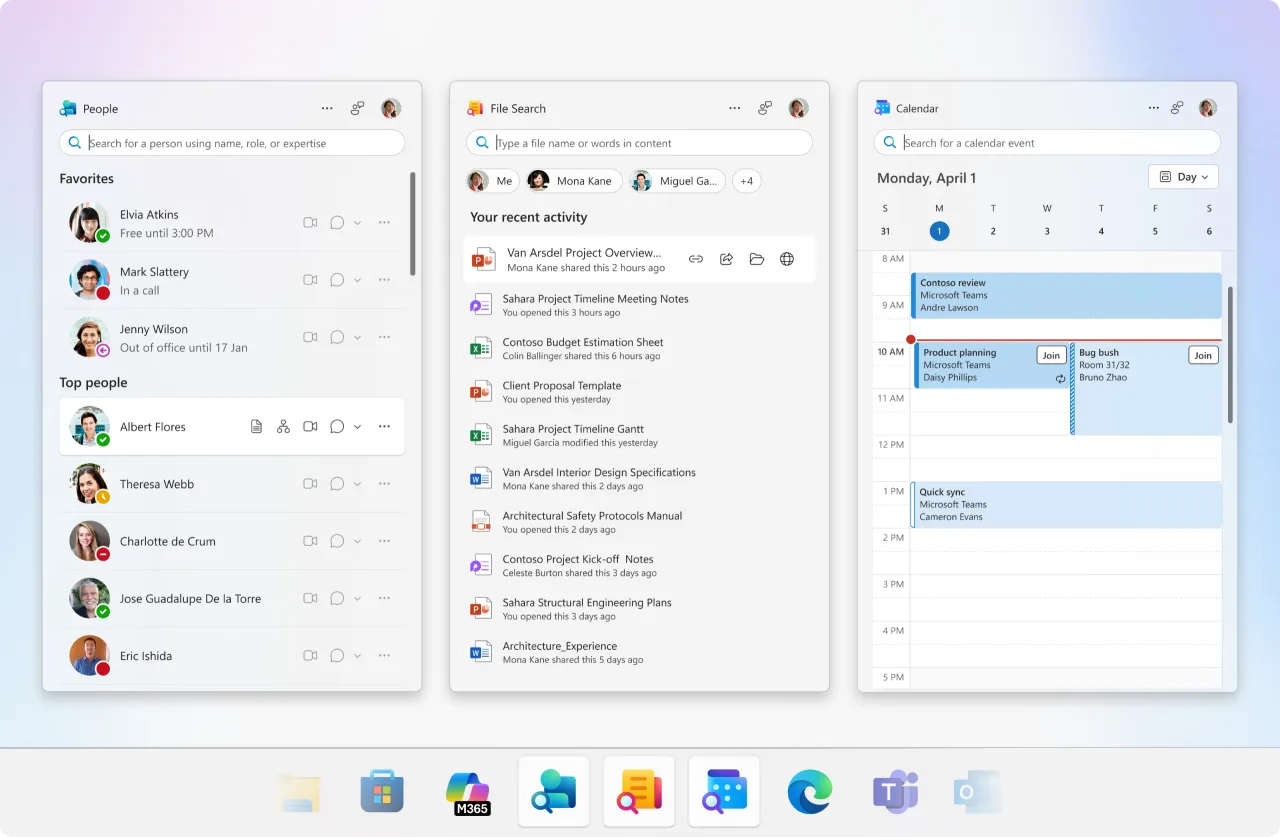
M365 Companions on Windows
Small, single-purpose windows that sit alongside whatever you are already doing. I had a hand in shaping all three: File Search, People, and Calendar — the features themselves, the design system underneath them, and the craft details that decide whether three separate windows read as one product rather than three.
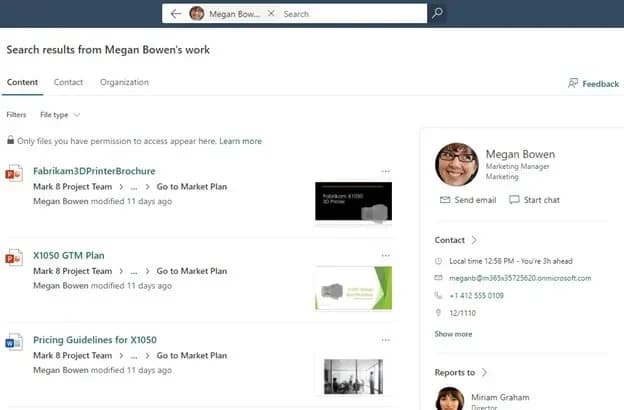
People Centric Search on SharePoint
People remember who, not where. The file you need is the one someone sent you last month — you can picture them, and you have no idea what it was called or which folder it ended up in. Search had been built for the other case, so it asked for the one thing you had forgotten. This organises results around the person you were working with rather than the folder the file happened to land in.
How I work
Three things I do consistently, all of them habits from the engineering years:
- Prototype against real APIs, not mock data. Wiring a prototype to live services costs more up front and answers questions a static mockup can’t: whether the interaction survives real latency, real edge cases, and real content.
- Follow the design into the pull request. Pointing engineers at the exact frames, suggesting which tokens to reach for, reading the PR and giving feedback in the terms they were already working in — rather than filing a bug and moving on.
- Use agents as a sparring partner. Somewhere to argue a direction out loud and pressure-test a flow before I take it to the team. It doesn’t replace a critique — it means I arrive at one having already found my own weakest assumption.
The through-line: I don’t think design and engineering should meet at handover. Working this closely with PMs and engineers is what convinced me the two belong in the same conversation from day one.
Some of it outlasts the project. Restructuring a product area’s design files — deprecating legacy components, standardising on the current library — cut the time it took anyone new to get oriented. Cheatsheets got other designers prototyping with AI tooling themselves, and a feature spec template the team picked up is still in use.
What it cost
The most useful thing I’ve learned here is how much of design happens outside the design file. A screen that looks right in Figma and is wrong at scale, or ships without the states nobody drew, isn’t a finished design — and the gap between those two things is usually a conversation that didn’t happen early enough.
The switch from engineering to design also came with a real cost. I moved into it while the tooling itself was changing under everyone, and I’ve sometimes wished for a quieter few years to go deeper on design fundamentals first. What I have instead is a working knowledge of what things cost to build — which turns out to be a reasonable trade.
Most of what I’m proudest of isn’t public and won’t be. If you want the rest of it, I’d rather talk than write it down.